Choosing a music generator
Choosing a MusicGen Alternative: Maintenance and Workflow on Mac
MusicGen opened the door to local AI music on Mac, but long-term users face workflow and maintenance choices. Compare newer models, APIs, and Mac-native apps with a focus on practical use.

Tarun YadavPublished October 2, 2026 · 6 min read · Search intent: commercial
The short answer
MusicGen made open-source music generation accessible, but its research focus limits long-term workflow stability. Users now face choices: keep patching the original, migrate to newer open models, rely on an API, or invest in a local Mac app. The best path depends on memory, budgets, and how often you need stable, repeatable results. Workflow and maintenance matter more than model benchmarks for most practical users.
When MusicGen first landed, it proved local AI music generation could run on a Mac with the right hardware and patience. But the research release was never meant as a polished tool. As updates slow and dependencies shift, recurring maintenance headaches become common. Every workflow interruption or broken install means lost time. Most users now want a MusicGen alternative they can trust for real work, not a weekend experiment.
The alternative landscape is wide, but each option comes with trade-offs. You can keep using patched research code, chase the latest open models, subscribe to an API, or try a dedicated Mac app. Look past model scores and focus on how each choice fits your workflow and maintenance comfort. For Mac users making music, practical stability and repeatable results often matter more than catching every new feature or small quality bump.
Why MusicGen users look for alternatives
MusicGen's open research release put local AI music tools in reach for Mac users with enough memory and time. But the research code was never meant for long-term, low-maintenance use. As dependencies change or system updates roll out, you may find yourself locked out or stuck troubleshooting instead of making music. Many users now want a MusicGen alternative that lasts through MacOS updates and supports smoother workflows.
The original MusicGen project is not built for continuous support or easy upgrades. Install scripts may break as Python libraries or MacOS versions evolve. If you rely on this tool, you risk sudden outages or time-consuming repairs. Most musicians and producers prefer to spend their time on music, not system administration. This is why practical users start looking for a maintained AudioCraft alternative or a local music model app for Mac.
- Frequent library breakages
- MacOS updates causing issues
- No built-in workflow tools
Migration costs for a MusicGen alternative
Open research in music generation models moves quickly. Newer models often promise improved quality, more options, or better handling of genres and vocals. But switching models comes with costs. You may need to adapt your workflow, retrain on new interfaces, or upgrade your Mac's hardware. Model files can be large, and each generation method may have different requirements for RAM, disk space, or dependencies. Migration is rarely just a one-click update.
For example, switching from MusicGen to a new AudioCraft alternative may require downloading gigabytes of model data, updating Python or Conda environments, or even reinstalling Homebrew. If you work in a team or across machines, syncing versions and dependencies adds complexity. Some newer models run best on more recent Apple Silicon Macs with at least 24 GB RAM. Factor in these migration costs when comparing a new open model to a local music model app.
- Downloading large new models
- Updating environments and dependencies
- Hardware requirements increase
What you actually lose without a maintained tool
When the core tool you rely on is not maintained, you lose more than convenience. You risk losing access to your previous sessions or the ability to reproduce an earlier sound. If dependencies break, you may not be able to generate new music until you fix or rebuild your environment. Even minor bugs or incompatibilities can block project deadlines. For many, this is a dealbreaker for regular or production use.
Lack of maintenance also means no workflow improvements, no integration with new hardware, and no support for recent MacOS versions. If you want to export stems, batch process, or queue generations, you may have to build those features yourself. APIs and dedicated Mac apps often add these features over time, while research code lags. Without a maintained tool, your workflow can stagnate or degrade with every OS or library update.
- Lost project reproducibility
- No new features or fixes
- Workflow breaks with OS updates
Choosing between hobby and production paths
The right MusicGen alternative depends on your needs and risk tolerance. If you are a hobbyist who enjoys tinkering, running open models in Python may be fine. You accept regular patching and the chance of breakage. For production work or time-sensitive projects, a maintained app or API makes more sense. These tools offer stability, support, and predictable workflows in exchange for a license fee or subscription. The trade-off is less control over the lowest-level details.
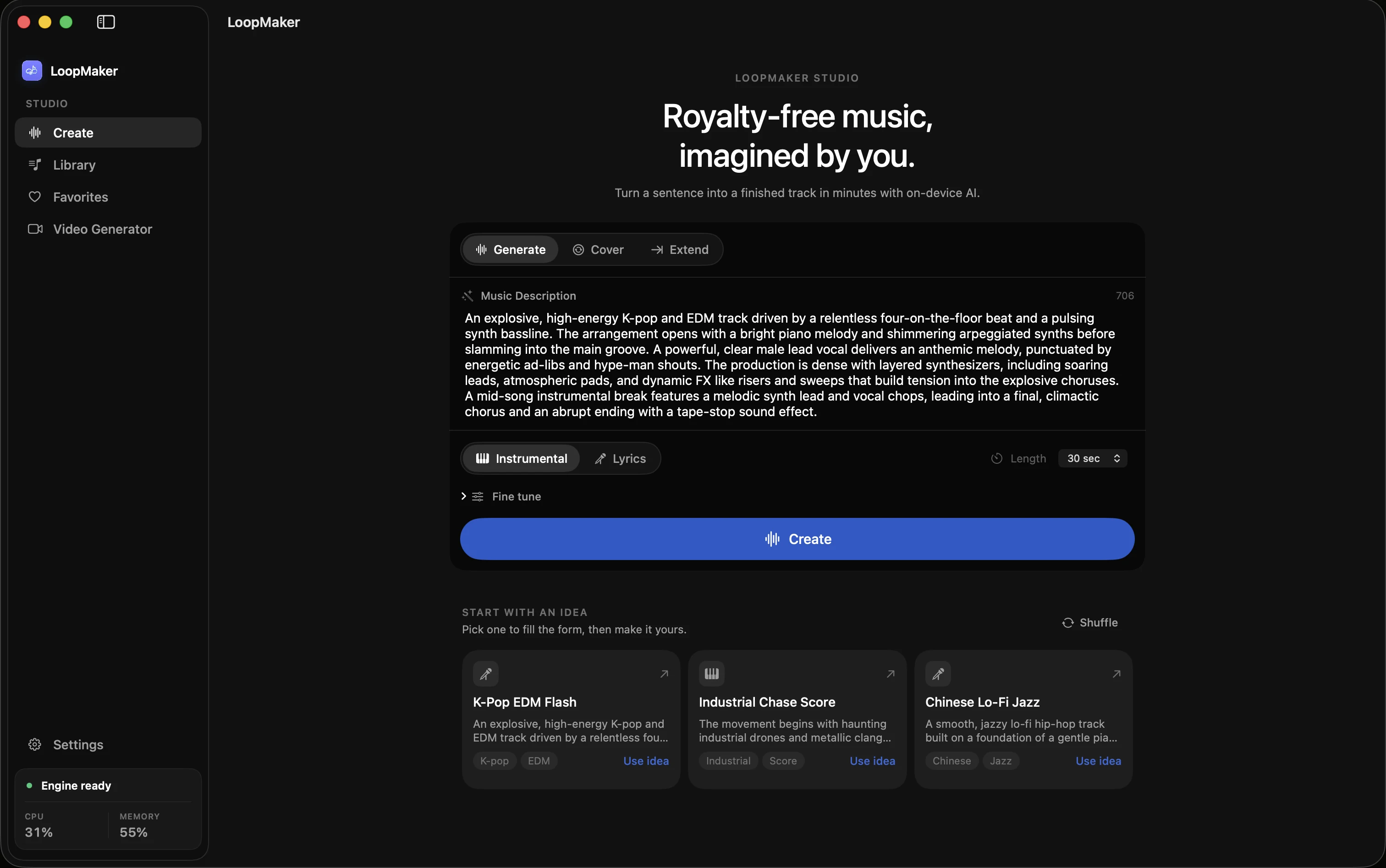
Mac users with Apple Silicon and at least 16 GB RAM can now run native music generation apps like LoopMaker. According to the LoopMaker site, a $49 one-time license gives local generation after initial activation and setup. You avoid recurring fees and benefit from regular updates. APIs offer faster access to new models but usually require an ongoing subscription. Evaluate your workflow, memory, and budget before picking a path. Re-check product sites for current pricing and terms.
- Open models for tinkerers
- Apps or APIs for stability
- Match path to workflow needs
Frequently asked questions
Is MusicGen still maintained?
MusicGen was released as a research project and is not actively maintained for long-term support. Updates to dependencies, MacOS, or Python can break the install or workflow. You may find fixes or forks online, but there is no official guarantee of continued maintenance or updates. If reliability matters for your work, consider a maintained AudioCraft alternative or Mac-native music generation app instead.
Can MusicGen run on an Apple Silicon Mac?
Yes, MusicGen can run on Apple Silicon Macs with enough memory, but setup is manual and may require technical troubleshooting. Most users report smoother installs on M1, M2, or M3 machines with 16 GB RAM or more. Compatibility can break as dependencies update or MacOS changes. If you want less maintenance, a dedicated local music model app built for Mac may save time.
What is the best MusicGen alternative for Mac?
The best MusicGen alternative for Mac depends on your workflow. For local generation, LoopMaker offers a $49 one-time license, native Apple Silicon support, and practical memory tiers. It is strongest for instrumental sketches, loops, and textures. Cloud APIs may offer more vocal features but require subscriptions and internet access. Always verify details and terms on the product site before deciding which local music model app fits your needs.
Are newer models better than MusicGen?
Newer music generation models sometimes offer better quality or features, but not always for every workflow. Migration can require new hardware, more memory, or updated environments. For many, stable results and a repeatable workflow matter more than a small improvement in generated audio. Compare model specs, hardware needs, and support levels before switching. Quality claims are nuanced and can vary with genre, prompt, and personal taste.
Sources and testing notes
- AudioCraft MusicGen documentation — Upstream research-oriented MusicGen documentation for local comparison.
- MLX documentation — Apple's machine-learning framework used for local execution on Apple silicon.
- Apple Activity Monitor memory guide — First-party guidance for reading memory pressure on a Mac.
- Google helpful content guidance — Search guidance on first-hand value, authorship, and audience fit.
- LoopMaker product pages and current guardrails — checked October 2, 2026. This entry describes practical starting points, not guaranteed output or rights.
Find your stable workflow
Compare local apps, open models, and APIs for your Mac. Pick a MusicGen alternative that fits your workflow, memory, and update comfort. Check product sites for current terms.