Choosing a music generator
ACE-Step Alternative: When to Use a Local Music Generator App
ACE-Step is a strong open music model with a research repo lineage. If you want practical music generation on a Mac, know when to use the raw repo or a packaged app.

Tarun YadavPublished October 2, 2026 · 5 min read · Search intent: commercial
The short answer
ACE-Step is a research-grade open music model with a lineage rooted in academic and open source communities. Running it directly means handling Python, model weights, and system tuning. Some users thrive on that. Others want music generation to fit a workflow, not become the workflow. This guide helps you decide whether to persist with the raw repo or look for an ACE-Step alternative with a similar open-model stack.
The ACE-Step model (see github.com/archinetai/ace) is a research repo first, not a ready-to-run app. On Mac, you get open source code, model weights, and a Python backend-a stack built for flexibility, not convenience. Many musicians and producers who try it run into environment setup and troubleshooting. This is not a knock on the project; it is research-grade for a reason. Know what you are taking on before investing hours.
Some users love command-line tools and Python scripts. Others want music software that works out of the box. The open source music model Mac scene now includes both research repos and packaged local music generator apps. You do not need to choose blind. If your goal is music creation, not model engineering, there are now strong app options built on similar open-model lineage. Decide what fits your workflow, skills, and time.
What raw ACE-Step asks of you
To run ACE-Step directly, you need a working Python environment, a compatible set of dependencies, and enough system memory. You must manually fetch model weights, resolve version mismatches, and handle CLI commands for each generation. Updates mean repeating parts of this process. The repo is not maintained as a Mac-first tool; it is tested for research flexibility. For some, this is a feature. For others, it is friction.
You will be reading documentation, resolving errors, and spending time in the terminal. Many users underestimate the time involved in just getting a single render. If you are not already comfortable with Python and dependency management, setup can take several hours or more. Updates or new features may require you to repeat these steps. This approach fits those who value deep control and are ready for hands-on troubleshooting.
- Python required
- Manual weight downloads
- Frequent troubleshooting
Where the setup usually breaks
Most ACE-Step users on Mac report issues during environment setup. Common problems include Python version mismatches, incompatible dependency chains, and memory errors on low-spec machines. If you have a MacBook Air with 8 GB RAM, the process can halt before you get a usable render. Even on a high-memory Mac, the open source stack expects you to debug and patch errors, sometimes during generation itself.
Model weight links sometimes move or change. Documentation may lag behind upstream updates. If you are following tutorials from six months ago, expect broken commands or outdated dependencies. Some users spend more time in Stack Overflow than making music. If your patience or technical skills are thin, consider whether the time spent troubleshooting is worth the control you gain.
- Dependency hell
- Outdated docs
- Memory bottlenecks
Packaged apps versus research repos
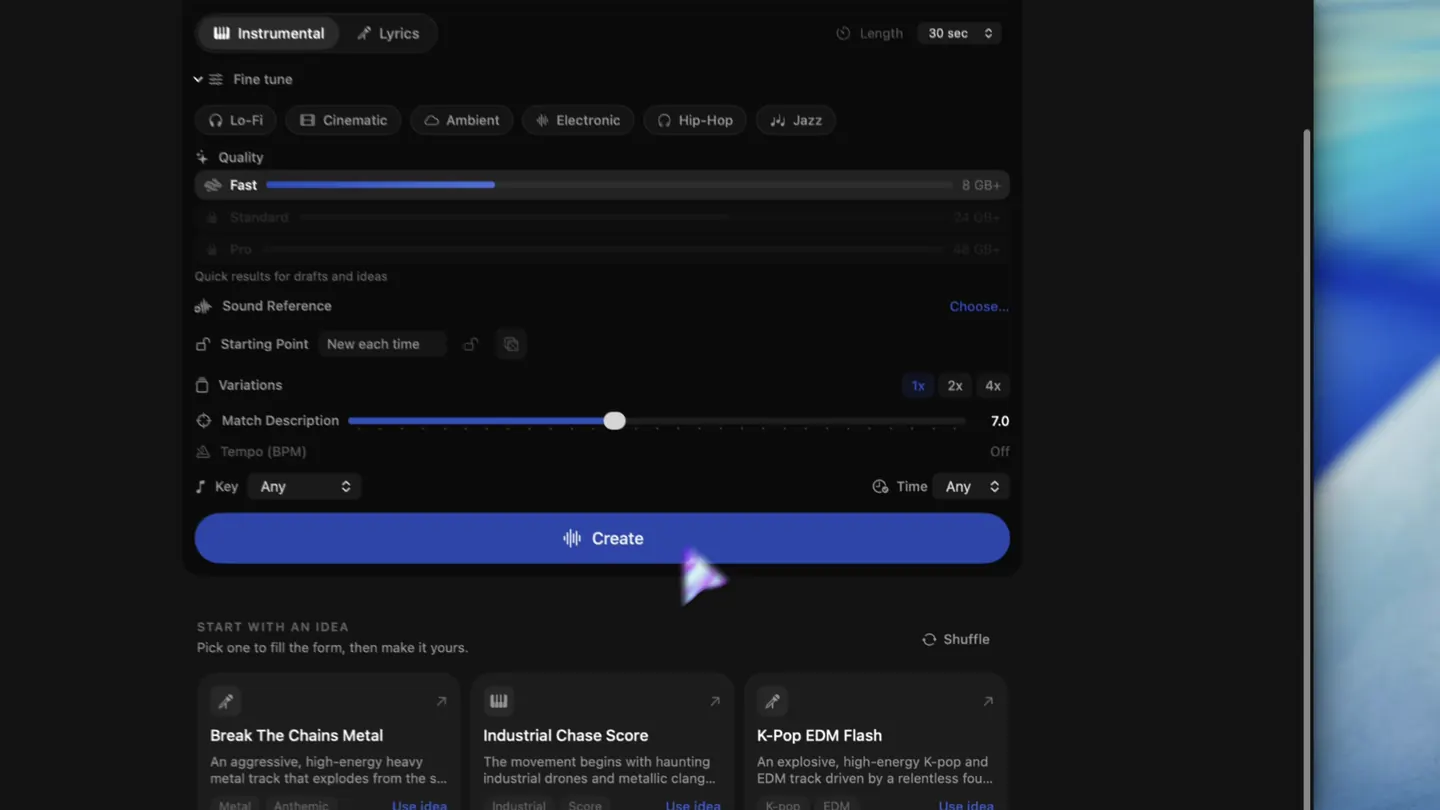
A local music generator app for Mac, built on a similar open-model lineage, abstracts the setup. You get a macOS-native interface, bundled dependencies, update management, and clear memory tiering. Instead of hunting for model weights or patching Python, you install, activate a license, and generate music. The LoopMaker family packages open-model stacks for Apple Silicon Macs, focusing on instrumental work and loop generation.
You trade some customization for hours saved. Updates, model downloads, and app activation are usually handled in-app, with prompts and support. For non-coders, this is time reclaimed for music. Some features-like a bundled local MCP server for managing multiple generations-are designed for creative workflow, not research reproducibility. If your focus is throughput, packaged apps are hard to beat for everyday projects.
- No CLI setup
- Native UI
- Focus on workflow
ACE-Step alternative: skills, time, and throughput
If you are a developer, researcher, or want to experiment with model internals, use the raw ACE-Step repo. Accept the time cost and learning curve. If you are a musician or producer who wants results, a packaged app using a similar open-model stack is usually the better use of your time. Factor in Mac memory, update frequency, and how often you want to troubleshoot.
For most creators working on instrumental sketches, loops, textures, and temp scores, an ACE-Step 1.5 alternative in app form wins on throughput and reliability. The open source music model Mac ecosystem rewards clear self-assessment. If you want to tweak models or contribute upstream, stay with the research repo. If you want music, not code, try a packaged local music generator app first.
- Know your goals
- Weigh your time
- Match your workflow
Frequently asked questions
Is ACE-Step free to use?
Yes, ACE-Step is open source and free under its upstream license (see github.com/archinetai/ace). However, you provide your own compute, setup, and troubleshooting. If you use a packaged app built on a similar stack, check that app's terms, license, and pricing. Always verify current licensing details on the official repo or app site.
Do I need to know Python to run ACE-Step?
Yes, to run ACE-Step directly, you need at least a working knowledge of Python, pip, and the command line. The process involves installing dependencies, managing virtual environments, and running scripts. If you are not comfortable in a terminal, packaged alternatives with a native Mac app interface are much easier for non-coders.
What Mac memory does ACE-Step need?
ACE-Step and similar open music models can run on 16 GB RAM for basic instrumental tasks, but 24 GB or more is best for lyric workflows and higher-quality renders. On a Mac with less than 16 GB, expect errors or slowdowns. Always check your model and app's current requirements before starting.
Is there a simpler ACE-Step alternative?
Yes. Local music generator apps for Mac now package similar open-model stacks. For example, LoopMaker runs on Apple Silicon Macs, bundles models, and handles setup and updates. Pricing as of June 2024 is $49 one-time (see loopmaker.app for details). These apps are strongest for instrumental work and loop generation. Always re-check the product site for current features and terms.
Sources and testing notes
- ACE-Step 1.5 — Upstream open model project with Apple-silicon instructions.
- MLX documentation — Apple's machine-learning framework used for local execution on Apple silicon.
- Apple: Mac computers with Apple silicon — First-party reference for identifying Apple-silicon Macs.
- LoopMaker product page — Current pricing, Apple-silicon guidance, and export formats.
- LoopMaker product pages and current guardrails — checked October 2, 2026. This entry describes practical starting points, not guaranteed output or rights.
Try a Local Music Generator App
If you want practical music generation on Mac without the research repo hassle, consider a packaged app built on similar open-model stacks. Check the current requirements and features before buying.