
Make every idea a track
Describe it and watch it take shape right where you work.
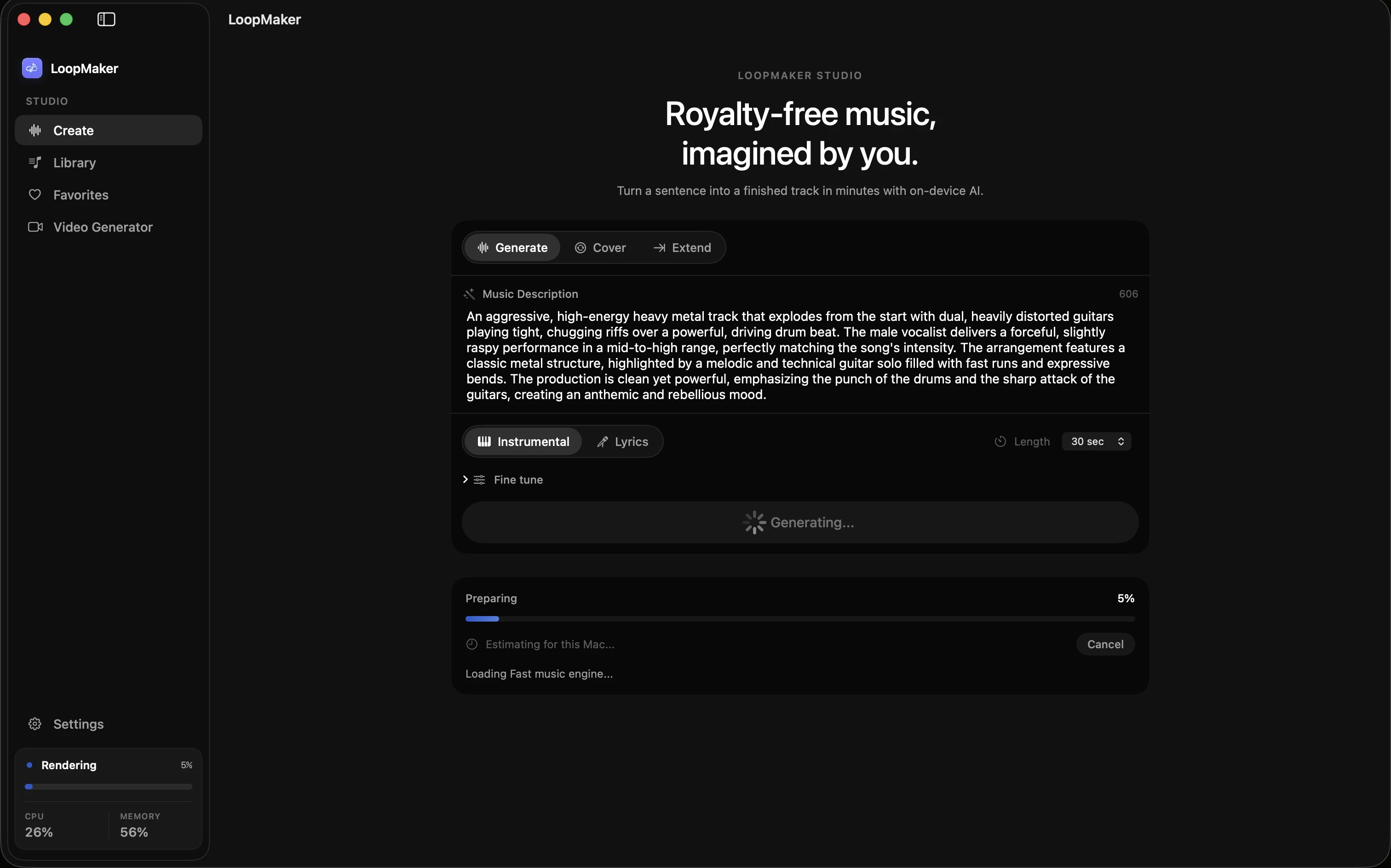
LoopMaker for macOS
Turn a sentence into a finished track in minutes with on-device AI.
Private, powerful, and truly yours.
macOS and Apple Silicon · 16 GB RAM recommended

Music renders on your machine. After setup, there is no generation server, queue, or internet requirement.
Your prompts, models, and tracks stay on your Mac at all times.
Every export is yours to keep and use anywhere, forever.
Describe it and watch it take shape right where you work.
Bounce to WAV or M4A, ready for your editor, DAW, or feed.
Render tiers matched to Apple Silicon memory, from 16 to 48 GB.
Real exports from real prompts, rendered locally on a Mac.
LoopMaker is a native Mac app that turns plain-text descriptions into finished, royalty-free music. Everything renders on your own hardware — no cloud, no credits, no subscription.
Download the app, let it fetch the model once (about 5 GB), then describe the sound you want. Your first track is usually ready in minutes.
No. If you can describe a mood, a genre, or a scene, you can make a track. Presets for lo-fi, cinematic, ambient, and more give you a running start.
Those services render in the cloud and charge by credit or subscription. LoopMaker renders locally on your Mac — your prompts never leave the machine, and you pay once for unlimited generations.
Instrumentals and vocal tracks across lo-fi, cinematic, ambient, electronic, pop, and more — from 10-second stingers to full 60-second loops, exported as WAV or M4A.
Yes. Everything you generate is royalty-free and yours to use in videos, games, podcasts, client work, and releases — no attribution required.
Only for license activation and the one-time model download. After that, generation is fully offline.
Any Apple Silicon Mac. Fast mode is comfortable on 16 GB, Standard shines at 24 GB, and Pro renders unlock on 48 GB machines. macOS 15 or later recommended.
One-time $49 license · 30-day money-back guarantee