Creator workflow
How to Use Royalty Free Music for YouTube Shorts
YouTube Shorts need music that grabs fast and loops well. Learn how to brief a track for vertical video, check copyright, and keep monetization rules in view.

Tarun YadavPublished September 24, 2026 · 5 min read · Search intent: informational
The short answer
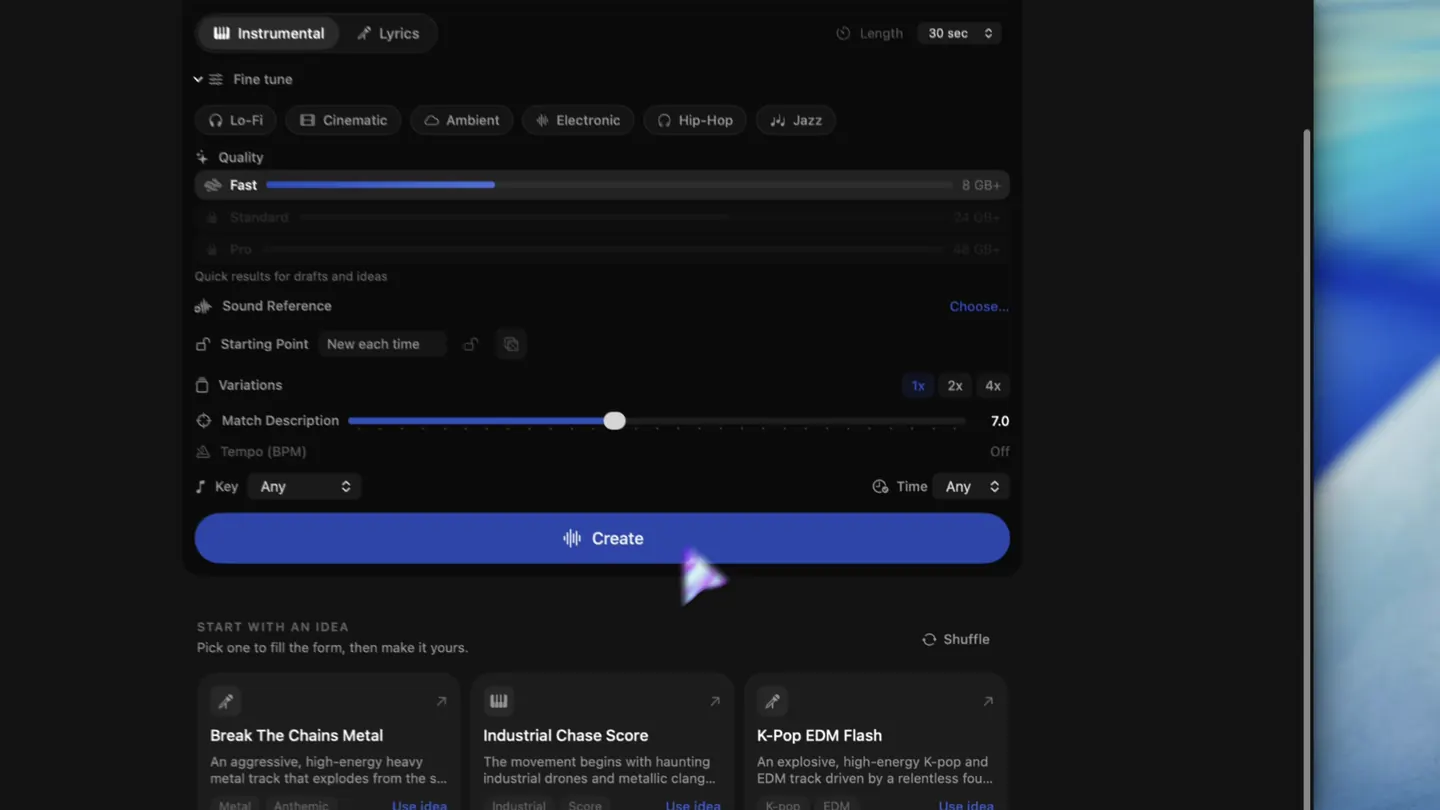
You need music that starts strong, loops cleanly, and is cleared for Shorts. Use platforms with clear licensing for vertical videos or create your own with tools like LoopMaker. Always check YouTube support pages for current monetization and library rules, as these can change by region and account. Prioritize tracks that work in 15-60 second edits and are labeled for Shorts use.
YouTube Shorts move fast. The first seconds can decide if your video gets traction or is skipped. Music shapes the scroll. A slow intro or unclear section costs you attention. Picking royalty free music for YouTube Shorts is not like editing longer videos. You want a hook that lands in under two seconds, a structure that loops, and clear rights for monetization.
Most creators need Shorts background music that is copyright free and works for vertical video. But not all royalty free music is equal. Some tracks only clear for long-form YouTube or require attribution. Some music libraries are not available everywhere or support Shorts differently by region and account. Your workflow should start with a clear brief and a plan for rights and payment.
What a Shorts edit needs in the first two seconds
In Shorts, you have less than two seconds to catch the viewer. A strong hook is critical. Pick tracks that start with a clear motif or beat, not a fade-in or ambient swell. This is different from traditional background music, which can afford a slow build. For Shorts, the first notes must land with intent. A snappy intro helps your video stand out on the vertical feed and hook the scroll.
Many tracks in royalty free libraries are made for longer content and start slow. For Shorts, you should filter for music labeled as "Shorts ready" or "hook-first." If you create your own, ask for a 2-bar intro that jumps straight in. Use DAWs or AI tools like LoopMaker to generate or trim tracks so they hit hard in the first two seconds. Test the intro on a muted timeline to see if it works.
- Use tracks with instant hooks
- Avoid fade-ins and slow builds
- Test intros on real Shorts timelines
Structure a track for vertical edits
Shorts background music should loop cleanly in 15-60 second cuts. The structure should support vertical video edits, with clear sections and a strong downbeat every 8 or 16 bars. Avoid long breakdowns or bridges that lose momentum. LoopMaker, for example, generates instrumental beds and textures that repeat well and are easy to trim. Stems or stems+mix exports help you build custom loops for different video lengths.
You should brief your track to end on a clean beat and keep energy consistent. Many Shorts use a four- or eight-bar loop, repeated to match the exact video duration. This works better than trying to cut a full-length song. Test your candidate music with a seamless join at the loop point. If you hear a jump or drop, adjust the length or pick another track.
- Structure for 15-60s loops
- End on a clean downbeat
- Test seamless joins at loop points
Platform libraries or your own royalty free music
YouTube's built-in music library offers some copyright free music for Shorts, but access and track selection depend on your region and account type. Not all tracks are cleared for monetization or vertical video use. Sometimes, library terms change without much notice. Creating your own music or using a local tool like LoopMaker gives you more control, but check each track's rights before uploading.
If you use music from a platform library, read the fine print for each track and check the latest YouTube support docs. For your own audio or AI-generated tracks, save your license proof and keep original files. Some services only license for long-form or demonetize Shorts. Always test your workflow with a draft upload before committing to a track.
- Library access varies by region/account
- Always check license and terms
- Upload drafts to test monetization
Rights and monetization checks for Shorts
YouTube Shorts monetization rules change often. Some tracks in the platform library qualify for ad revenue sharing, others do not. Third-party or AI-generated music may be eligible if you have full rights, but YouTube may claim or mute videos with uncleared samples. Always check the current YouTube support page before posting, and keep a record of your music's license and original source.
If you want to monetize, confirm that your chosen music is cleared for Shorts and approved for vertical video. Some creators report region-specific restrictions or sudden demonetization. For AI music, understand the tool's terms and keep export logs. LoopMaker, for example, generates royalty free music locally after setup, but you must still check YouTube's evolving policies.
- Monetization rules can change
- Save license and export records
- Check policies before uploading
Frequently asked questions
Where do I get royalty free music for YouTube Shorts?
You can find royalty free music for Shorts in YouTube's own music library, but availability and licensing vary by region and account. You can also license tracks from third-party libraries that specifically label music for Shorts or vertical video use. Creating your own music with tools like LoopMaker gives you control over structure and rights. Always double-check the latest platform terms.
Does music in Shorts affect monetization?
Yes. Only music cleared for Shorts and monetization will allow ad revenue sharing. Some tracks in YouTube's own library are not eligible for monetization, and using unlicensed music may mute your video or block ads. Always check the current YouTube support page, as rules may change by region or over time.
Can I use AI music in YouTube Shorts?
You can use AI-generated music in Shorts if you have rights to commercial use and monetization. Tools like LoopMaker generate music locally, but you are responsible for checking YouTube's policies and keeping license records. Some AI services restrict commercial use or limit track length. Read the tool's terms and always verify with YouTube's latest guidelines.
How long should Shorts background music be?
Shorts background music should match the video's length, typically 15-60 seconds. Use a track that loops cleanly and lands on a strong downbeat at the start and end. Avoid tracks with long intros, fade-ins, or breakdowns. Some creators use a four- or eight-bar loop and repeat it, adjusting as needed for the exact video duration.
Sources and testing notes
- YouTube Creator Music guidance — First-party YouTube music-library and licensing context.
- YouTube copyright basics — First-party explanation of claims, strikes, and permitted uses.
- LoopMaker BPM tapper — Browser-side tempo check that pairs with prompt and edit work.
- LoopMaker product page — Current pricing, Apple-silicon guidance, and export formats.
- LoopMaker product pages and current guardrails — checked September 24, 2026. This entry describes practical starting points, not guaranteed output or rights.
Try LoopMaker for Shorts
Test your own royalty free music for YouTube Shorts on your Mac. Sketch hooks, loop sections, and export files for vertical edits. Check our site for system requirements and current terms.