Creator rights
Royalty Free Music for Twitch: Rights, Risks, and Real Solutions
Royalty free music for Twitch means less admin, not full immunity. Understand how performance and recording rights work, why muting happens, and practical ways to build a stream-safe music log.

Tarun YadavPublished September 21, 2026 · 6 min read · Search intent: informational
The short answer
Royalty free music for Twitch does not mean fully risk-free streaming. It can reduce licensing headaches but does not protect against every platform policy or copyright owner. You still need to check composer and recording rights, understand VOD muting, and keep careful records. Locally generated music offers more control but not full immunity. Compare options and always verify terms with each service or tool.
Many streamers search for royalty free music for Twitch to avoid copyright flags, but the label can be misleading. Royalty free covers some rights, not all. You still need to know what you are allowed to use, how Twitch handles music in streams and VODs, and where risk remains. This guide breaks down rights, risks, and practical steps so you can stream with fewer surprises and less admin.
Twitch background music choices range from licensed libraries to AI-generated tracks, each with tradeoffs. The Twitch DJ Program has its own licensed catalog but does not apply to most background or gaming streams. No music source is fully exempt from claims. You must understand the difference between composition rights, recording rights, and platform-specific policies. A log of your music sources is often your best defense if you ever get flagged.
What royalty-free does and does not cover on Twitch
Royalty free music for Twitch means you pay once, then use tracks without extra fees. This covers some key rights, usually including both the underlying composition and a specific recording. But "royalty free" does not mean you can use the music for anything, anywhere, or forever. Many tracks exclude live performance, remix, or broadcast rights, or require attribution. You must review each license for these details before streaming.
Twitch's own music policies add another layer. Even if a track is royalty free, Twitch still requires that you have all rights for both live and recorded use. If someone else controls publishing or recording rights, a claim is still possible. For example, some "royalty free" tracks only cover YouTube. Others do not allow VOD playback. Always read the fine print and keep a copy of each license.
- Composition rights and recording rights are separate
- Some tracks require attribution
- Twitch policy can override a music license
VOD muting is not the same as a copyright strike
Twitch uses automated systems to scan streams and VODs for copyrighted audio. If detected, Twitch may mute the affected VOD segments. This is not a copyright strike. Muting protects Twitch from liability but does not notify copyright owners. Your channel does not receive a formal penalty from muting alone. However, repeated issues can still put your account at risk over time if not addressed.
Copyright strikes are more serious. Strikes come from DMCA takedown notices filed by rights holders, not Twitch itself. A strike can lead to VOD removal, loss of monetization, or even account bans. Royalty free music reduces the risk but does not eliminate it. Always keep records of your music licenses. If you get muted, check your logs and update your sources.
- Muting blocks audio but is not a penalty
- Strikes require DMCA notices
- Keep logs to resolve disputes
Where to get royalty free music for Twitch
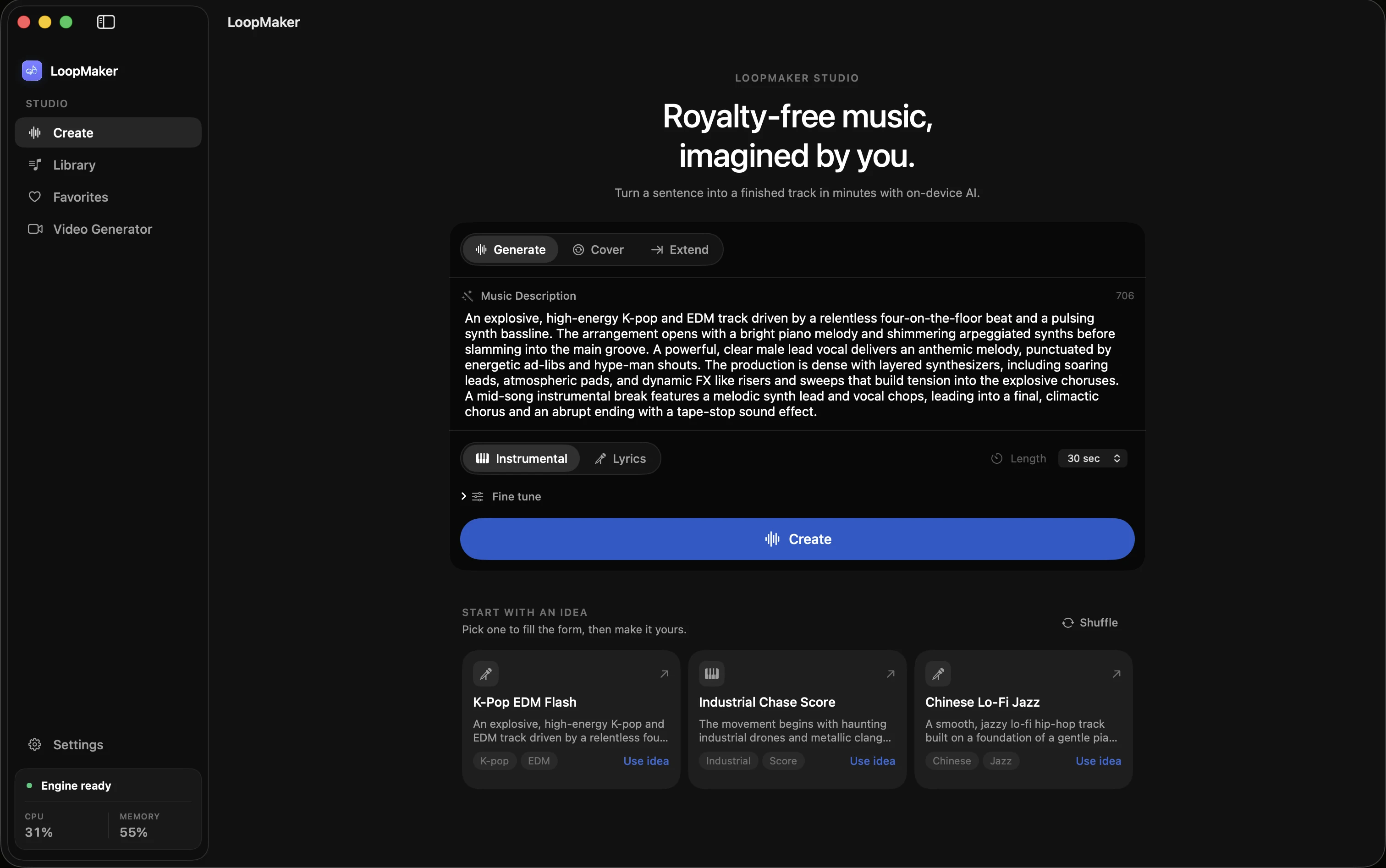
Most Twitch streamers use three main sources for music: licensed libraries, direct artist permission, or locally generated tracks. Licensed libraries like Soundstripe or Epidemic Sound offer DMCA-safe music for Twitch, but terms vary. Direct artist permission can be clearer, but you must keep proof. AI music tools like LoopMaker let you make original beds or loops on your Mac, with clear local control. Each method solves different problems.
Licensed libraries simplify rights but may restrict VOD or sync use. Direct permission is strong but slow to scale. Locally generated music, such as tracks made in LoopMaker, means you control the output and records, though models and samples may have their own license rules. No solution is 100 percent risk-free. Choose based on your workflow, record-keeping needs, and Twitch's current music guidelines (see Twitch Music Rules, 2024).
- Libraries offer DMCA-safe tracks
- Direct artist deals need clear proof
- Local generation gives control but check model terms
Building a stream-safe music log
Keeping a detailed music log protects you from claims and confusion. Record each track's source, title, license, and usage date. For licensed music, save the license file or purchase receipt. For AI-generated tracks, note the software, generation date, and model used. This log helps you track what is live, what is in VODs, and what you can prove in case of disputes. It is a simple but effective habit.
Store your log in a spreadsheet or note app. Update it every time you change your music, add new tracks, or switch sources. If Twitch ever mutes a VOD or you get a claim, your log lets you respond fast. Over time, this record also helps you spot what music works best with your audience. Many streamers only start a log after a problem-starting early is better.
- Note every music source and license
- Update when you add or change tracks
- Respond faster to claims with clear records
Frequently asked questions
Is royalty free music safe on Twitch?
Royalty free music lowers the risk of copyright claims, but it is not fully safe. You must still check that your license covers both live and VOD use on Twitch. Some "royalty free" tracks exclude commercial or broadcast rights. Always keep a copy of your license and check Twitch policy for updates, as rules and enforcement can change.
Why did Twitch mute my VOD music but not strike me?
VOD muting is an automated process that protects Twitch from liability. It does not mean you broke the law or earned a copyright strike. Muting happens when Twitch's system detects music that may be copyrighted, even if you have a license. Actual DMCA strikes require a formal takedown notice from a rights holder, not Twitch.
Can I play AI-generated music on my stream?
Yes, you can play AI-generated music if you have rights to the output. Tools like LoopMaker run locally and let you export tracks, but you must check both the model license and any sample content. AI music does not guarantee immunity from claims. Keep records of what you generated, which tool you used, and when you made it.
Do I need a license for background music on Twitch?
Yes, you need a license or clear permission for any background music on Twitch. This includes music played quietly, as copyright detection tools scan all broadcast audio. Using royalty free music or AI-generated tracks helps, but you must still keep proof of licensing or creation. Twitch's Music Rules require you to control both composition and recording rights.
Sources and testing notes
- Twitch Community Guidelines — First-party rules on rights for music and other streamed content.
- Twitch DMCA and copyright FAQ — First-party explanation of DMCA notices, strikes, and retractions.
- Twitch muted-audio appeals — First-party guidance showing automatic VOD muting is separate from copyright strikes.
- U.S. Copyright Office AI report, Part 2 — Primary-source summary of copyrightability principles for AI-generated material.
- LoopMaker product pages and current guardrails — checked September 21, 2026. This entry describes practical starting points, not guaranteed output or rights.
Build your own safe music log
Start tracking your Twitch music now. Record sources, licenses, and generation details for every track. Reliable logs save time and stress if you ever get flagged.