Choosing a music generator
What Does Offline Mean for AI Music on Mac?
The word offline is flexible. Here, you will see three real-world levels. We will show you where LoopMaker lands, what you control, and which steps still need a network.

Tarun YadavPublished October 3, 2026 · 6 min read · Search intent: commercial
The short answer
Offline AI music generation means the main music creation process runs on your Mac, not in the cloud. However, most solutions-including LoopMaker-still require internet for license activation, downloading models, and updates. After setup, generation works locally. Fully local-only tools are rare and often limited. Decide what matters more for your workflow: data privacy, control, or always having the newest models.
You want an offline AI music generator to keep your music private, avoid monthly fees, or just stay productive when offline. But offline can mean several things. Some apps run everything in the cloud, others do most work locally, and a few hybrid tools need a connection only at certain moments. If you use Mac and care about where your music is made, you need to know exactly what offline covers-and what it does not.
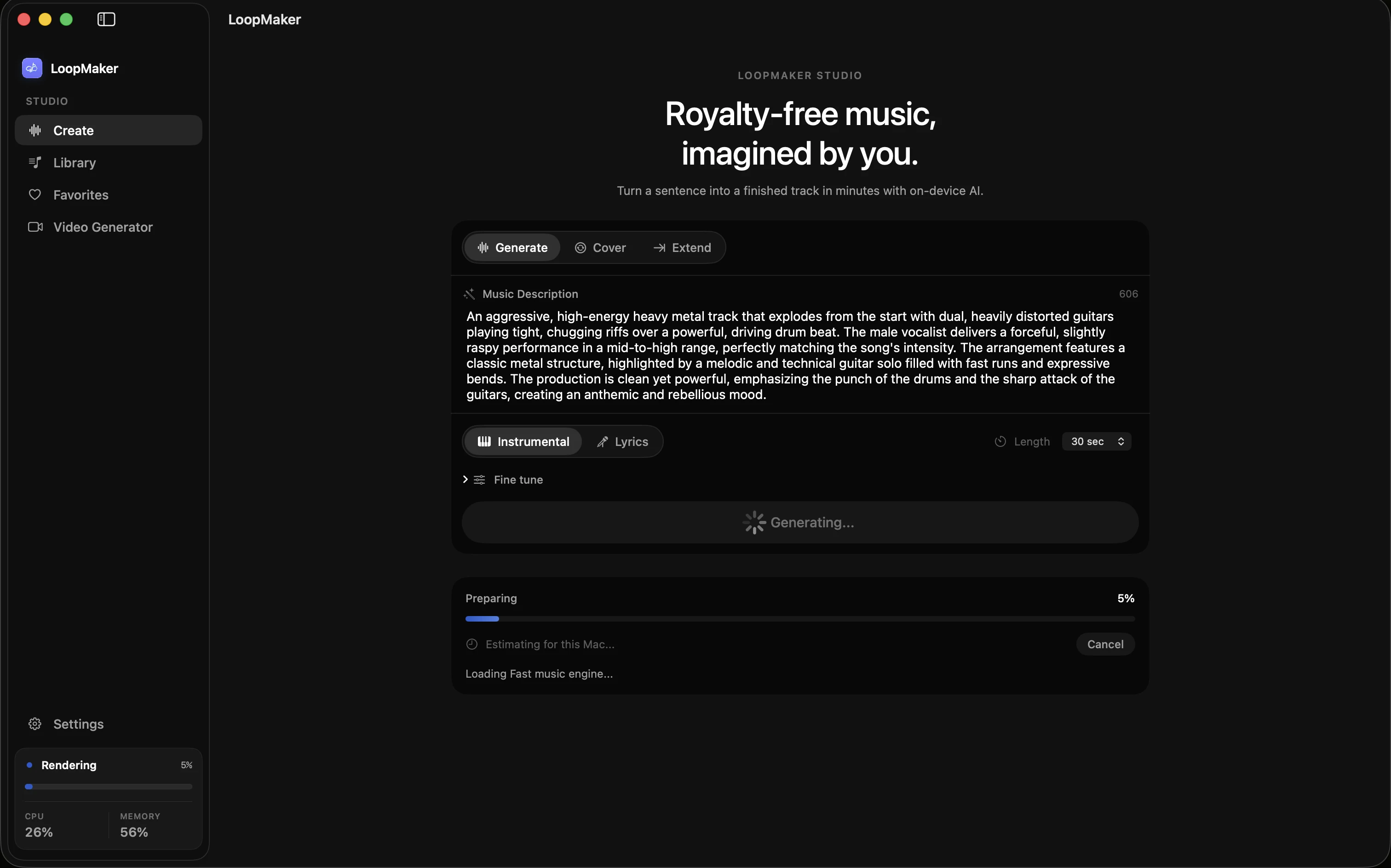
LoopMaker was built for local music generation on Apple Silicon Macs. It is a native app with a one-time $49 license (as of June 2024; check the site for updates). LoopMaker needs internet for setup and model downloads, but after that, the main music generation runs locally. This gives you more control over your data than cloud-based services. Still, it is not an all-or-nothing decision, and some steps are never offline.
Three meanings of offline
The word offline gets used loosely in AI music. Here are three levels: First, always-online tools run everything in the cloud; you need a constant internet connection, and your audio and prompts leave your device. Second, setup-online tools only need a network for setup, updates, or model downloads-after that, the generation runs locally. Third, fully local tools keep every step on your Mac, but these are rare and usually limited in features.
LoopMaker fits into the setup-online group. You need internet for license activation, the first model download, and updates. After setup, you can use the main music generation features offline. For comparison, always-online services like cloud DAWs send your requests to remote servers each time. At the other end, a few research models let you run everything locally but often lack polish, support, or flexible model options. Most musicians pick tools from the middle group.
- Model runs locally after setup
- Activation and updates need internet
- Few tools offer only local operation
What still needs a connection for offline AI music generator
Even if AI music generation runs locally, some steps still require a network. With LoopMaker, you need internet to activate your license, download or update models, and receive app updates. This is common for most offline music generation tools. Grace rules may apply if you lose your connection, but new users should expect setup to need a stable line. Your input prompts and audio do not upload to the cloud during generation.
For example, after buying LoopMaker, you will activate your license online and download the generation model-typically a few gigabytes. You also need the internet to fetch updates or new features. Once these steps finish, you can use the core offline AI music generator features without a connection. However, if you switch Macs or reset your device, plan for another round of online setup. Occasional cloud checks may verify your license or fetch bug fixes.
- Activation and model downloads
- Updates and bug fixes
- Some license checks
The privacy test you can run yourself
Many musicians care about privacy. One way to check if a local music app for Mac is really offline is by running it while disconnected from the internet. In LoopMaker, once you have activated and downloaded models, turn off Wi-Fi and try generating a track. You will see that your prompts and audio stay on your Mac, and no cloud upload happens during local generation. This test works for most setup-online tools.
Some users also monitor network activity to confirm no hidden uploads. On macOS, you can use Activity Monitor or Little Snitch to watch for outgoing connections while using LoopMaker. During generation, you should see no network spikes tied to creating music. Only updates and license checks trigger network use. This is a good data boundary: your music and prompts do not leave your Mac unless you share or export them yourself.
- Try generation with Wi-Fi off
- Monitor network with Activity Monitor
- Data stays on your Mac
Hardware reality for offline generation
Offline music generation needs real power on your Mac. LoopMaker is built for Apple Silicon machines. For fast instrumental work, 16 GB of RAM is practical. Standard and lyric workflows are smoother with 24 GB or more. If you want experimental Pro renders or to run multiple generations, 48 GB or more is recommended. These numbers reflect the real memory demands of AI music without internet. Older Intel Macs are not supported.
Besides memory, storage matters too. The initial model download can be several gigabytes. You also need space for your projects and future updates. Apple Silicon chips handle local AI workloads efficiently, but expect the main benefit with newer M1, M2, or M3 models. If you try to run LoopMaker on a lower-spec machine, you might hit slowdowns or crashes. Always check the latest requirements on the product site before purchase or upgrade.
- 16 GB RAM for fast instrumentals
- 24-48 GB RAM for lyrics/Pro
- Apple Silicon only
Frequently asked questions
Is there an offline AI music generator?
Yes, some apps offer offline music generation, where the main music creation step runs on your Mac. LoopMaker is a setup-online tool: you need the internet for activation, model download, and updates, but after that, generation is local. Few tools are truly local-only; most need a network for setup or licensing. Always check the latest details before you decide.
Does LoopMaker work without internet?
After activation and model download, LoopMaker runs music generation locally on your Mac without the internet. However, you need a connection for the initial setup, updates, and license checks. If you change Macs or reset your system, plan to re-activate online. Grace rules may let you use it offline for a limited time if your connection drops.
Why does a local app need activation?
Activation verifies your license and links the app to your Mac. This step helps prevent piracy and supports fair pricing. Even local apps, including LoopMaker, require online activation before you can access features and download models. After activation, you can use the main generation workflow offline, but updates and major changes may still need the network. Always review the current license details on the product site.
What Mac do I need for offline generation?
For LoopMaker, you need an Apple Silicon Mac. The minimum is 16 GB RAM for fast instrumental work. For lyric workflows or Pro renders, 24 GB or more is better. 48 GB or more is best for running multiple jobs or large projects. Intel Macs are not supported. Always check the latest requirements on the LoopMaker site before you buy or upgrade.
Sources and testing notes
- LoopMaker privacy policy — Product-specific explanation of local content boundaries and service data.
- LoopMaker terms — Product-specific permission and output-language boundary.
- Apple: Mac computers with Apple silicon — First-party reference for identifying Apple-silicon Macs.
- LoopMaker product page — Current pricing, Apple-silicon guidance, and export formats.
- LoopMaker product pages and current guardrails — checked October 3, 2026. This entry describes practical starting points, not guaranteed output or rights.
Try LoopMaker Locally
Download LoopMaker for your Apple Silicon Mac and see how local AI music generation feels. Remember, you need the internet for setup, but the core creation happens on your device. Check the product site for updates.