Creator workflow
The honest workflow: free instrumental music for YouTube
Free instrumental music for YouTube comes with caveats. Learn how to spot licensing traps, evaluate tracks in context, and decide when to generate your own beds instead.

Tarun YadavPublished September 26, 2026 · 6 min read · Search intent: informational
The short answer
Free instrumental music for YouTube is easy to find but not always simple to use. Most tracks come with licensing strings, and many are not tailored for your edit. This guide shows how to match license terms, judge beds in your workflow, and when generating your own instrumental background music can save more time and legal risk than hunting through the usual platforms.
Free instrumental music for YouTube videos is everywhere. But every no-vocal music track comes with tradeoffs: license terms, remix limits, attribution headaches, and audio that never quite fits your cut. You must weigh time spent searching and tweaking against the risk of copyright flags or channel takedowns. This post gives you a straightforward way to pick, log, and use background music that works for your workflow-without tripping over hidden costs.
Many creators grab free instrumental downloads from popular libraries, only to hit licensing snags later. Monetized channels face extra risk when tracks are labeled "noncommercial." Attribution formats can be inconsistent. A song that sounds fine solo may clash with dialogue or pacing in your edit. We break down the hidden costs, outline a practical music log, and show when generating a purpose-built bed is faster than hunting.
The real cost of free instrumental music for YouTube
Free instrumental background music usually means "royalty-free," not "no strings." Most tracks require attribution, may ban commercial use, or set limits on remixing. The terms are rarely tailored to your needs. On YouTube, this can mean a copyright claim, a takedown, or your video losing ad revenue. Free downloads often come with vague PDFs or buried license details. The cost is time and legal risk.
Many free music sites recycle the same tracks from a handful of composers. That means your video may share a bed with hundreds of others, sometimes in the same niche. Audio quality can be inconsistent. If you spend an hour hunting, tweaking, and checking terms, you may lose more than you save. Keep a log of what you use and where you found it for every project.
- Attribution required by most libraries
- Noncommercial terms block monetization
- Same tracks used on thousands of videos
Match license terms to your channel
Before you download any free instrumental music, check the license against your channel's business model. "Noncommercial" means you cannot use the track if you monetize with ads or sponsorships. Some licenses ban remixes or require you to credit them in a specific format-usually in the video description. Missing or unclear terms can expose you to copyright claims from composers or rights agencies. Always verify before you hit upload.
Attribution formats are not consistent. Some want a song title and composer, others a full license link. YouTube's own Audio Library marks tracks with "attribution required" or "not required," but third-party sites may hide this in the fine print. If you use dozens of tracks a year, keep a spreadsheet with the download source, license, and your usage. This saves you headaches if there's ever a dispute.
- Noncommercial licenses block most monetized content
- Attribution format may be strict
- Missing info exposes you to flags
Judge a bed in the edit, not in isolation
A track that sounds great alone may not work under dialogue or montage. Many free instrumental downloads are full of melodic hooks or sudden changes that distract from your content. Always test a music bed against your cut, not in a playlist. Check levels, fade points, and whether the track loops cleanly. If a track cannot be trimmed or looped without jarring transitions, it can slow your edit or ruin pacing.
No vocal music for videos is usually best when it sits under the action without pulling focus. Watch out for beds with intrusive melody lines or unexpected sound effects. Use EQ to carve out space for voices, but do not expect every free track to cooperate. If you find yourself spending more than 15 minutes fixing a free bed, ask if it would be faster to generate a new one purpose-built for your cut.
- Test music against your actual edit
- Watch for distracting melodies
- Check for looping or easy trimming
Generate a bed shaped to the video
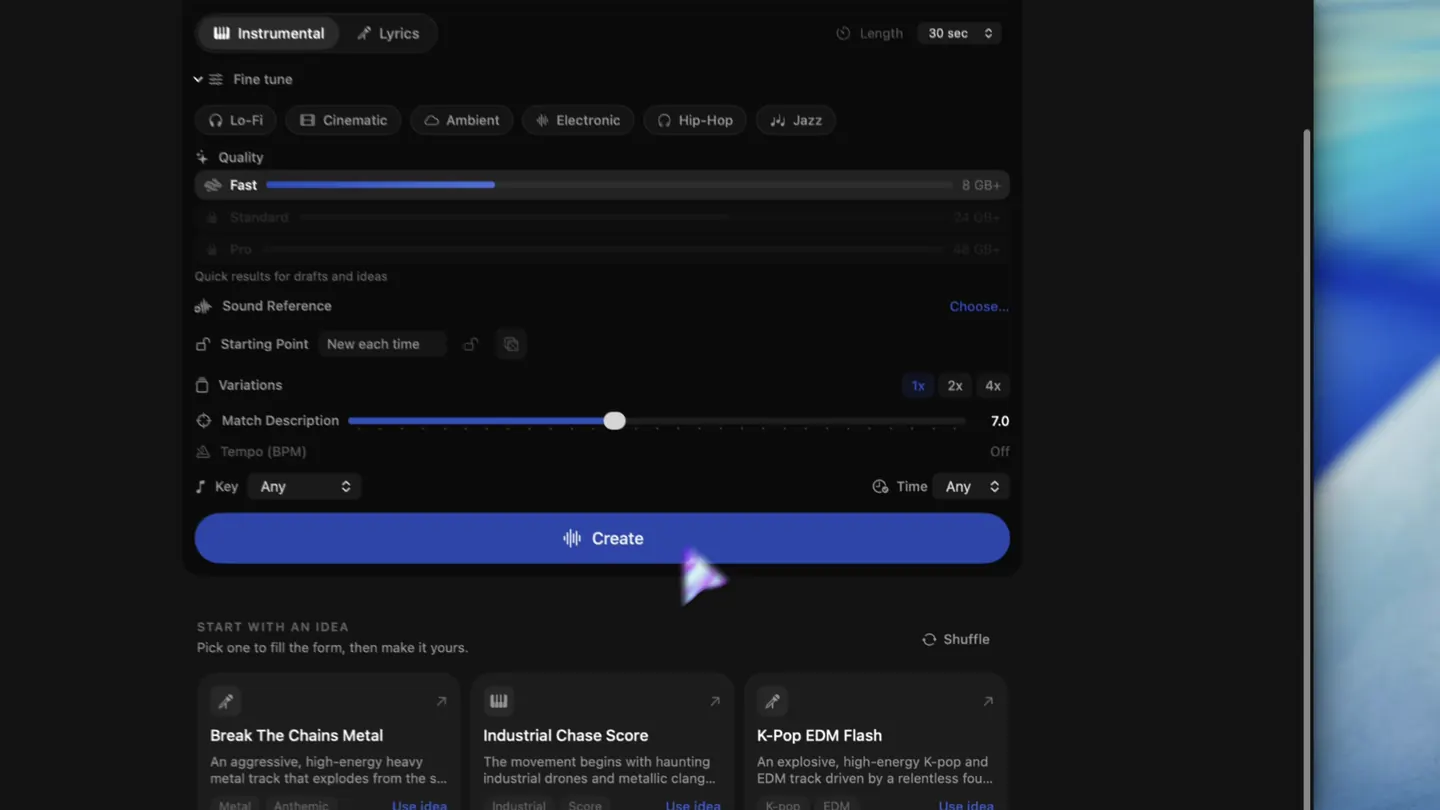
Sometimes, generating your own instrumental background music is faster and safer than searching. Local AI tools like LoopMaker let you create a purpose-built bed that matches your video's mood and pace. You get a WAV or M4A file, designed to loop or fit your exact timing. No hidden licensing traps. LoopMaker runs locally after setup, so you avoid cloud queue delays. For many creators, this means less time lost and fewer copyright surprises.
LoopMaker is strongest for instrumental sketches, loops, temp scores, and textures. If you run a Mac with 16 GB RAM, you can generate beds after setup and license activation. However, for Standard and lyric workflows, 24 GB or more is the safer tier. No download quotas or recurring fees. Keep a log of every generated track, just as you would with library downloads. For polished vocals or long finished songs, online services may still be ahead. Always check current terms on the product site.
- Generate beds tailored to your timing
- No hidden license traps
- Local workflow after initial setup
Frequently asked questions
Where can I find free instrumental music for YouTube?
You can find free instrumental music for YouTube on YouTube's own Audio Library, Free Music Archive, and sites like Incompetech or Pixabay Music. Always check the license before using a track, as some require attribution or restrict commercial use. For music shaped exactly to your video, local tools like LoopMaker let you generate beds with no per-use cost after setup. Verify sources and terms before publishing.
Is instrumental music always safe to use?
Instrumental music is not always safe just because it is free or has no vocals. Many tracks come with license requirements, including attribution or noncommercial clauses. Some libraries recycle the same music, increasing the risk of copyright flags. Always read the license and keep a record of your source and usage for each project. Generate your own bed when in doubt or when you need a custom fit.
Can I use free music in monetized videos?
You can use free music in monetized videos only if the license allows commercial use. Many tracks labeled "free" are marked "noncommercial," which blocks use on channels earning ad or sponsor revenue. Always look for a clear statement of commercial rights. If you cannot find this, do not use the track for monetized content. Generating your own music can sidestep this trap.
How do I credit music that requires attribution?
To credit music that requires attribution, follow the format set by the composer or library. Most ask for the track title, composer name, and a direct license link in the video description. YouTube's Audio Library provides sample formats. If you use multiple tracks, keep a music log with source, license, and usage for each video. This protects you if there is ever a copyright dispute or channel audit.
Sources and testing notes
- YouTube Creator Music guidance — First-party YouTube music-library and licensing context.
- Creative Commons Attribution 4.0 — Primary license page for attribution-based reuse.
- Creative Commons Attribution-NonCommercial 4.0 — Primary license page showing the noncommercial condition.
- Google Cloud music prompt guide — Prompt dimensions such as genre, mood, instrumentation, rhythm, vocals, structure, ambience, and exclusions.
- LoopMaker product pages and current guardrails — checked September 26, 2026. This entry describes practical starting points, not guaranteed output or rights.
Try purpose-built beds
Save time and legal risk. Generate instrumental background music tailored to your video using LoopMaker on your Mac. One-time license, no subscriptions, and a local workflow after setup.