Creator workflow
Copyright Free Lofi Music for YouTube: What Creators Need to Know
Study channel claims stack up fast. Here is how to check 'copyright free' lofi, reduce risk with loops, and use local AI to support high-volume YouTube workflows.

Tarun YadavPublished September 24, 2026 · 5 min read · Search intent: informational
The short answer
YouTube study channels often assume 'copyright free' means zero risk, but the reality is more complex. You need proof of rights for every lofi track, clear records from the source, and a safe approach to music generation. Using local AI tools can help, but you must keep logs and check the tool's terms. Always verify, never just trust the label.
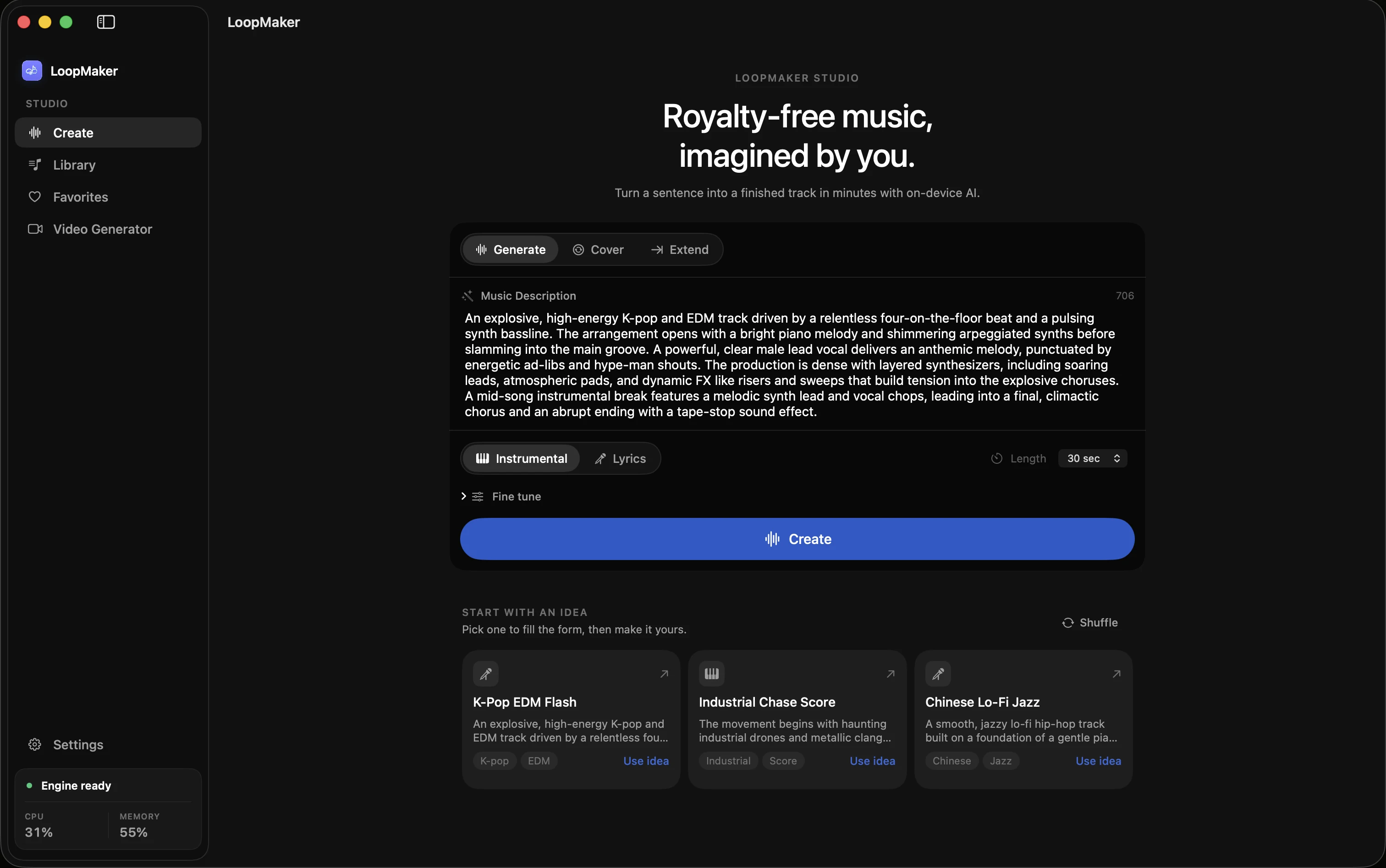
Every week, YouTube channels focused on study music publish hundreds of hours of lofi tracks. The phrase 'copyright free lofi music for YouTube' promises safety, but the details matter. A single copyright claim on a looped bed can flag dozens of past videos, disrupting revenue and reach. Tools like LoopMaker offer a local option, but nothing is magic: your workflow and records determine your real risk.
Many creators rely on 'lofi music without copyright' libraries or download packs, but these often lack strong rights documentation. Some tracks change hands, or their status gets challenged later. Even AI-generated music brings its own issues around authorship and rights. If you make or use study music for YouTube, you need to understand how copyright claims work, and how to build a safer track library.
Why 'copyright free' still needs a paper trail
'Copyright free' is not a magic shield. On YouTube, tracks labeled as lofi music without copyright get claimed if another party asserts rights. You need a clear, dated record that proves where and how you got the track. Screenshots, purchase receipts, license PDFs, and export logs all help. Without a paper trail, YouTube's claim process favors whoever files first, and disputing claims gets much harder.
Rights can change after a track is released. A 'copyright free' upload may be relisted by a rights-holder, or the original author may sign a publishing deal. If you cannot show your source and the terms at the time you downloaded or generated the track, you are exposed. This is why every download or generation session should be logged and archived, keeping files and terms together.
- Rights can change retroactively
- Keep export logs and licenses
- Paper trail helps win disputes
Design a bed that can run for an hour
Long-form study music for YouTube works best as a looped instrumental bed. Aim for two to four minutes of continuous material that flows naturally. Fade-ins, fade-outs, and soft transitions help. Use loop join checks to avoid clicks or jumps. In LoopMaker, you can export a 90-second loop, then repeat and crossfade it in your video editor to build an hour-long track that feels consistent. Standard and lyrics models require 24 GB or more RAM for best results.
Avoid melodies or samples that stand out or repeat too often. Subtle textures, vinyl crackle, and simple chord progressions keep the sound safe and non-distracting. AI tools like LoopMaker are strongest for these instrumental beds. The simpler the track, the lower the claim risk and the easier it is to prove you generated it yourself if challenged.
- Use short loops with smooth transitions
- Crossfade for long beds
- Avoid signature samples
Claim risk of popular copyright free lofi music for YouTube
Using well-known or widely shared lofi tracks increases your odds of a copyright claim. Many 'safe lofi for videos' packs circulate online, but their rights status can shift if the author re-registers the track or a third party files claims. Shared metadata and waveform fingerprints make it easy for Content ID systems to detect reuse, even across small channels.
Even if a track was labeled as 'free' last year, a new claim can wipe out revenue from hundreds of old uploads. If you use the same background track across 200 study videos, a single Content ID match could flag your entire catalog. Generating your own loops with a local AI tool reduces this risk, but you must still check the tool's terms and keep solid records.
- Shared tracks get flagged fast
- One claim can hit hundreds of videos
- Generate unique beds for safety
Local generation for high-volume channels
If you publish dozens or hundreds of study videos a month, local AI tools like LoopMaker let you generate unique lofi beds at scale. After setup, you can export as many loops as you need, without recurring costs or download limits. Each render is unique, and you control the files and the records. This lowers your reliance on external libraries and reduces the risk of mass claims.
You still need to verify the tool's license terms and keep generation logs. In most places, you do not automatically 'own' the music you generate, especially with AI. Rights depend on tool terms, your jurisdiction, and evidence. Store export logs, timestamps, and the tool's EULA. This is the best way to support your claim if YouTube or a third party challenges your uploads.
- Local tools scale for large channels
- Keep logs and EULAs
- Unique beds lower risk
Frequently asked questions
Is lofi music copyright free on YouTube?
No lofi music is simply 'copyright free' by default. Many tracks labeled this way still have rights attached, or their status can change. YouTube's Content ID system flags any track with disputed ownership. Always keep records of your source and permissions. If you generate your own, log the tool, date, and export details for each track.
How do I avoid copyright claims on study videos?
Use music with clear, documented rights. Keep export logs, receipts, and license terms for every track. Avoid widely shared or popular lofi tracks, as these are more likely to be claimed by third parties. For safest results, generate your own instrumental beds using a local AI tool and archive all generation data.
Can I generate my own lo-fi tracks instead of downloading them?
Yes, you can generate your own lofi beds using local AI tools like LoopMaker, which runs on Apple Silicon Macs. After setup, you can create as many short tracks as your workflow needs. Always keep records of each generation session and check the tool's license terms to understand your rights to the output.
Do I own AI-generated lofi music?
Ownership of AI-generated lofi music depends on the generator's license terms and your local laws. In most places, you do not get full copyright by default. You may have usage rights, but not authorship. Always check the terms for your tool and keep logs of every generated track for future proof.
Sources and testing notes
- YouTube copyright basics — First-party explanation of claims, strikes, and permitted uses.
- U.S. Copyright Office: Music and copyright — Primary-source explanation that compositions and recordings are separate works.
- Creative Commons Attribution 4.0 — Primary license page for attribution-based reuse.
- LoopMaker terms — Product-specific permission and output-language boundary.
- LoopMaker product pages and current guardrails — checked September 24, 2026. This entry describes practical starting points, not guaranteed output or rights.
Build a safer lofi workflow
Keep logs, check licenses, and treat every track as a potential claim risk. Local generation tools like LoopMaker can help, but your paper trail is your real shield.