Prompt control
Prompting Movement in AI Ambient Music Generators on Mac
Most AI ambient music sounds static. Learn prompt strategies for slow evolution, density shifts, and natural texture changes in your ambient music generator-without melody.

Tarun YadavPublished September 30, 2026 · 6 min read · Search intent: transactional
The short answer
Many AI ambient music tools create static drones with little movement. This guide shows how to prompt for slow evolution, density changes, and subtle shifts. You will learn to avoid sameness and push your generator for long, moving soundscapes that hold interest. Examples use Mac-based tools with local rendering, but the ideas adapt to other workflows.
Ambient music is easy to make but hard to make well. A static drone or endless loop of pads does not create a living piece. What listeners notice is change-slow but perceptible movement, layers building or dropping, and textures shifting in density or color. If your ambient music generator only produces one long, unchanging sound, it will not hold attention. You need to prompt for motion.
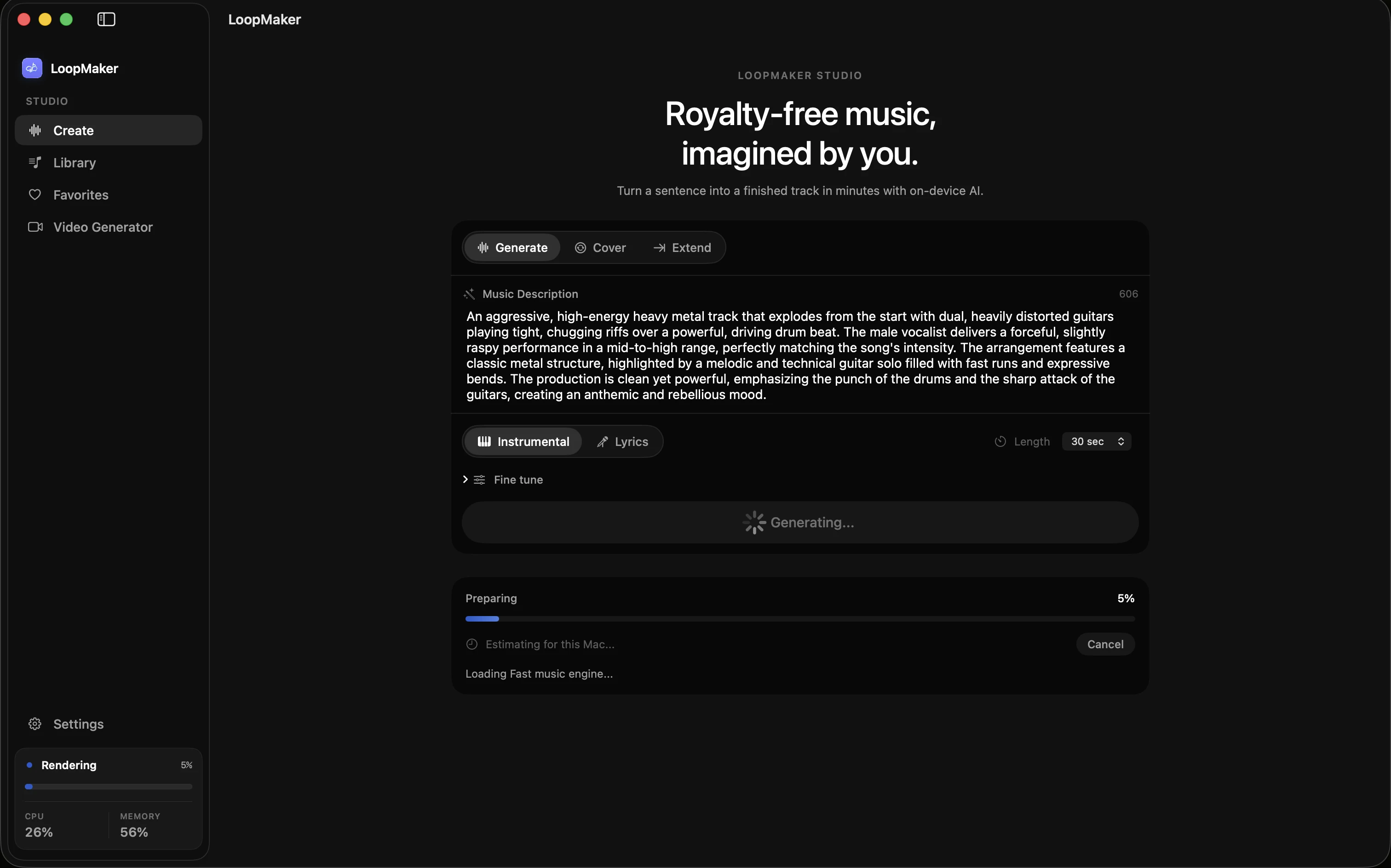
Most AI music generators, including ambient background generator and drone music generator tools, default to simple, repeating textures. You can push them beyond this by describing gradual shifts, evolving density, or processing effects in your prompts. Mac apps like LoopMaker run locally after setup, so you can experiment and iterate quickly. This guide shows how to describe movement in words and test results for real-world use.
Ambient music generator: movement without melody
Ambient music lives in slow evolution. You rarely want melody. Instead, you create interest by prompting your ambient texture AI for changes in volume, density, or timbre. Think in terms of layers fading in and out, slow filter sweeps, or a bed of drones that subtly shifts. If you only ask for "ambient pad" or "relaxing drone," you get a static result. Use clearer language about change and process.
For example, ask for "gentle pads that slowly brighten over three minutes," or "a low drone that gains shimmer, then fades to silence." Describe processes: "Layers fade in, textures thin, then fragment into echoes." Avoid genre cliches like "chillout" or "meditation"-they produce bland, unchanging tracks. The prompt's detail shapes the AI's output. Specific process words encourage the generator to create movement, rather than a static loop.
- Use verbs like fade, swell, shift
- Describe time: slowly, over minutes
- Ask for density or timbre changes
Prompting slow evolution
Most ambient music generator tools respond best when you break movement into steps. Instead of "ambient soundscape," try prompts like "soft granular texture, slowly evolving into brighter harmonic layers over 10 minutes." If your tool allows, stack prompt segments to guide the movement: "Begin with low drones, introduce filtered noise, fade to bell tones." The more you describe the change, the less likely you get a static drone.
Think in time-based terms. For a 20-minute render, you might ask for "subtle harmonic motion, dark to bright, over the first half, then textures dissolve to near silence." If your generator supports real-time or staged generation, work in 5- to 10-minute blocks, adjusting your prompts each time. This approach also conserves RAM, since long single renders often hit memory limits on most Macs.
- Use staged prompts for long pieces
- Break evolution into 5-10 minute steps
- Adjust density and timbre per section
Duration and the one-hour ambient music generator test
Most meditation, wellness, or background uses want long tracks-often 30 to 60 minutes. Many ambient background generator tools struggle here. They either loop short ideas or run out of memory in one render. On Mac, practical memory limits are 16 GB for short, simple beds, 24 GB or more for 15-30 minute textures, and 48 GB or more for experimental one-hour runs. Always test the full duration before publishing.
Try the one-hour test: generate a full-length render, then listen for movement. Does the texture evolve? Does density shift? If it feels static after 10 minutes, your prompt may be too vague, or your generator may need staged input. For longer tracks, consider rendering in 10- or 20-minute stages, then editing together. This also lets you fix any abrupt changes or memory errors in post.
- Test with a full-hour render
- Listen for change every 5-10 minutes
- Edit together staged sections for longer works
Where ambient work actually gets used
Most AI-generated ambient music ends up in meditation apps, wellness content, podcasts, and video backgrounds. Clients usually value long duration, low distraction, and subtle movement. Rights claims are rare but always check-some platforms scan even generative tracks. If you use a Mac-based ambient music generator, you can export WAV or M4A for upload. Always verify licensing terms and check the platform for current policies before publishing.
In production, you may need to trim or edit exports for smooth playback. Some platforms want 30- to 60-minute files, others loop 5- to 10-minute beds under voice. The main request from clients: "Do not sound like a loop." That means movement and texture change, rather than a static drone. Use your ambient texture AI to create evolving backgrounds that work in real settings, beyond simple demos.
- Export in WAV or M4A for most uses
- Check rights and platform policies
- Edit for smooth looping if needed
Frequently asked questions
How do I prompt an ambient music generator?
Use clear, process-based language. Describe the movement you want: "slowly evolving pad textures," "layers fading in and out," or "gradually brightening drones." Break the prompt into steps if your generator allows: "Start with low drones, introduce filtered noise, end with shimmering tones." The more detail you give about time and change, the less likely you get a static output.
Why does my AI ambient sound static?
Static ambient tracks usually come from vague prompts or genre cliches. If you only ask for "ambient," "drone," or "meditation music," most generators default to unchanging textures. Add details: request fade-ins, density changes, or evolving timbres. If your generator supports staged prompts, break the movement into sections. Listen for change every few minutes-if nothing shifts, revise your prompt.
How long should ambient tracks be?
Most ambient background generator users want tracks between 20 and 60 minutes. Meditation and wellness apps often ask for an hour. Shorter loops-5 to 10 minutes-work for podcasts and video beds. Always test your generator's memory limits. On Mac, 16 GB handles short tracks, 24 GB is safe for 15-30 minutes, and 48 GB or more is needed for one-hour renders with complex textures.
Can ambient AI music be used for meditation content?
Yes, many meditation and wellness creators use AI-generated ambient music, as long as the track is claim-free and fits platform rules. Always verify rights and licensing for your tool and model. Some platforms run their own copyright checks, even for generative work. Listen for movement-static drones often fail meditation app reviews. Evolving, subtle backgrounds work best for long meditation sessions.
Sources and testing notes
- Google Cloud music prompt guide — Prompt dimensions such as genre, mood, instrumentation, rhythm, vocals, structure, ambience, and exclusions.
- ACE-Step 1.5 — Upstream open model project with Apple-silicon instructions.
- LoopMaker product page — Current pricing, Apple-silicon guidance, and export formats.
- LoopMaker product pages and current guardrails — checked September 30, 2026. This entry describes practical starting points, not guaranteed output or rights.
Try Evolving Ambient on Mac
Test your prompts with a local ambient music generator like LoopMaker on Apple Silicon Mac. Experiment with staged generation and edits for long, moving soundscapes. Check product details and platform terms before publishing.