Choosing a music generator
AI music generator no sign up: what it really means on your Mac
Looking for AI music without account creation? Learn the real reasons for no signup requests-friction and privacy-and how local Mac apps handle them differently from browser tools.

Tarun YadavPublished September 28, 2026 · 6 min read · Search intent: transactional
The short answer
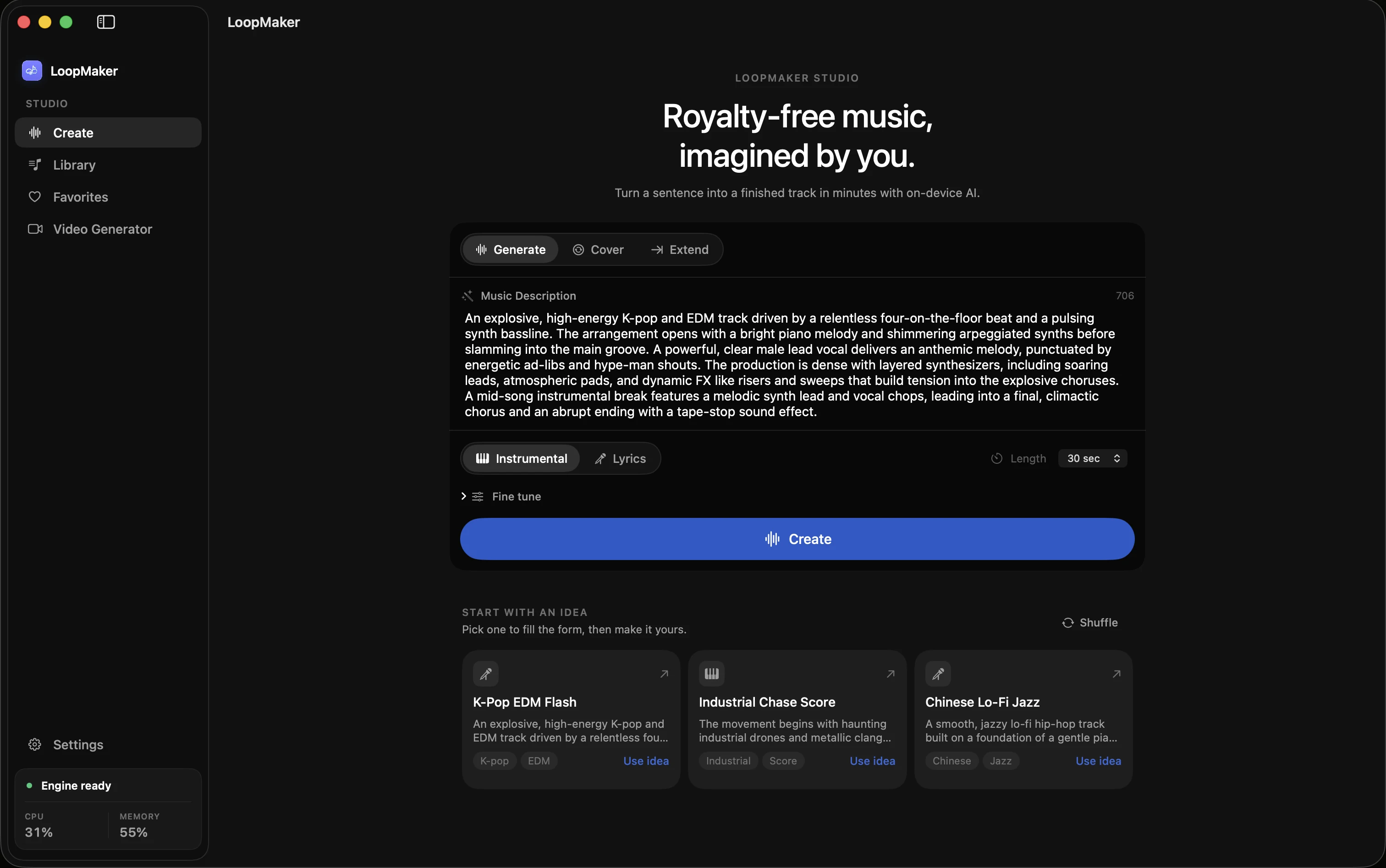
An AI music generator with no sign up usually means you do not create a personal account just to generate tracks. For browser-based tools, you often still need to register. Local desktop software like LoopMaker lets you generate music after a one-time activation, with no ongoing login or cloud account needed for generation. Always check the tool's actual requirements before starting a project.
Many people look for an AI music generator with no sign up because they want to avoid hassle or keep their creative process private. There are real differences between browser tools and local Mac apps. Each handles signups, accounts, and privacy in a specific way. If you want to skip creating yet another account, it is important to know what you are actually getting. Some tools promise "no sign up" but may still track or store your prompts.
If your main concern is friction, you probably want to get started fast-no forms, no password resets, just music. If your main concern is privacy, you want to control where your data and prompts go. Local Mac apps like LoopMaker are different from browser tools. They still require a one-time activation and model download, but after that, generation runs on your machine. Understand what "no signup" really means for your workflow and data.
Friction versus privacy: two different asks
Friction and privacy are the two main reasons people look for an AI music generator with no sign up. Friction means you want to skip steps and get to the music quickly. Privacy means you do not want your prompts or tracks stored on someone else's server. These are separate needs. A tool might reduce friction but still process your data externally. Another could be private but have a detailed setup process. You need to decide which matters more to you.
Many browser-based no signup music tools focus on reducing friction. You land on the site and can start generating tracks right away, sometimes with limits before a login is required. But your prompts, generated music, and metadata still pass through the service's servers. Local apps like LoopMaker address privacy by running the model on your Mac, so your data does not leave your machine during generation. Each approach solves a different problem.
- Friction: skip account creation
- Privacy: keep data local
- Choose based on your priority
Why browser tools still need accounts
Most browser-based AI music generators ask for an account at some point, even if you can start with a demo. This is mainly about managing users and features. Accounts let services track usage, enforce limits, and provide personal history. For AI tools, server costs are high. Keeping music generation free or low-cost usually means trading some data for usage. If you want to generate more tracks or use advanced features, you will probably need to sign up.
Even when a no signup music tool advertises "no account required," you are still sending prompts and receiving output via someone else's cloud infrastructure. That means your creative process and requests could be logged, even if you never choose a username. For some, this is fine if it saves time. For others, especially those working on confidential or unreleased material, server processing is a deal-breaker. Only a private AI music generator running locally avoids this.
- Cloud tools enforce quotas
- Server processing means data leaves your Mac
- Free use often has track limits
What local AI music generator no sign up changes
Running an AI music generator locally changes both friction and privacy, but not always in the ways you expect. On the friction side, you avoid ongoing logins and web forms, but you need to handle a one-time license activation and download a large model. This can take several gigabytes and require a decent internet connection. Once setup is complete, generation happens on your Mac, with no ongoing account check for every track.
For privacy, local tools like LoopMaker mean your prompts and generated music stay on your device during creation. The bundled local MCP server handles prompt queueing and monitoring without sending your data to the cloud. However, you still need to activate your license and update models periodically online. This is not "zero friction" or "no internet ever," but it is a different balance. You control your data once the initial setup is finished.
- One-time activation step
- Model download required
- Generation happens on your Mac
What 'no signup' honestly includes
"No signup" is a flexible term. For browser tools, it might mean you can generate a few tracks before hitting a paywall or account wall. For desktop apps, it often means you do not create a cloud account, but you may still need to activate your license and download models. LoopMaker, for example, asks for a one-time $49 activation and a model download. After that, music generation is local and does not require ongoing logins.
No signup does not mean no setup. It also does not mean you never use the internet. Paid tools need some way to manage licenses and updates. Free tools need to track usage to keep their servers running. If privacy or skipping accounts is your main goal, local Mac apps are usually the closest you will get-just be ready for a one-time activation process and the need to check for updates or new models as they release.
- No ongoing login for local apps
- Paid apps need license activation
- Always check tool requirements
Frequently asked questions
Is there an AI music generator with no sign up?
Some browser tools let you generate music without creating a user account, but they usually limit the number of free tracks. Local desktop apps like LoopMaker do not require ongoing logins for music generation after a one-time license activation and model download. Always review the latest requirements on the product's website, as policies and features can change over time.
Can I generate AI music without an account?
You can generate AI music without an ongoing cloud account if you use a local tool like LoopMaker. After activation, music generation and prompt handling happen on your Mac, not a remote server. Some browser tools offer no-signup demos, but they often limit track count or features. If privacy and control matter, local generation is your best option on a Mac.
Does LoopMaker require an account?
LoopMaker does not require an ongoing cloud account for generation, but it does require a one-time license activation tied to your purchase. After setup and the initial model download, you can generate music locally on your Apple Silicon Mac. You still need the internet for updates and license checks. Always check the latest system and policy details on the LoopMaker site.
Is a no-signup tool private?
Not always. No-signup browser tools still process your prompts and output on their servers, which can be logged or monitored. True privacy comes from using a private AI music generator that runs locally, such as LoopMaker. After setup, your prompts and tracks are not sent to a cloud service during generation. Always verify how a tool handles your data before trusting it.
Sources and testing notes
- LoopMaker privacy policy — Product-specific explanation of local content boundaries and service data.
- LoopMaker terms — Product-specific permission and output-language boundary.
- LoopMaker product page — Current pricing, Apple-silicon guidance, and export formats.
- Google helpful content guidance — Search guidance on first-hand value, authorship, and audience fit.
- LoopMaker product pages and current guardrails — checked September 28, 2026. This entry describes practical starting points, not guaranteed output or rights.
Try local generation on your Mac
If friction or privacy are your top concerns, test a local AI music tool. LoopMaker offers local generation after setup. Check the product site for up-to-date Mac requirements and feature details.