Prompt control
Jingle workflow: Make short intros with an AI jingle maker
A short jingle is not a tiny song. This workflow uses an AI jingle maker to deliver 12-20 second intros with one hook, brand-safe terms, and practical revision steps.

Tarun YadavPublished September 21, 2026 · 6 min read · Search intent: transactional
The short answer
An AI jingle maker generates short music cues based on your text prompt. You set a 12-20 second target, describe the brand mood, and name the main hook. Use clear, brand-safe instructions. Revise only sections that need work. Export to WAV or M4A for use. For commercial projects, always check the app's terms and the model's license.
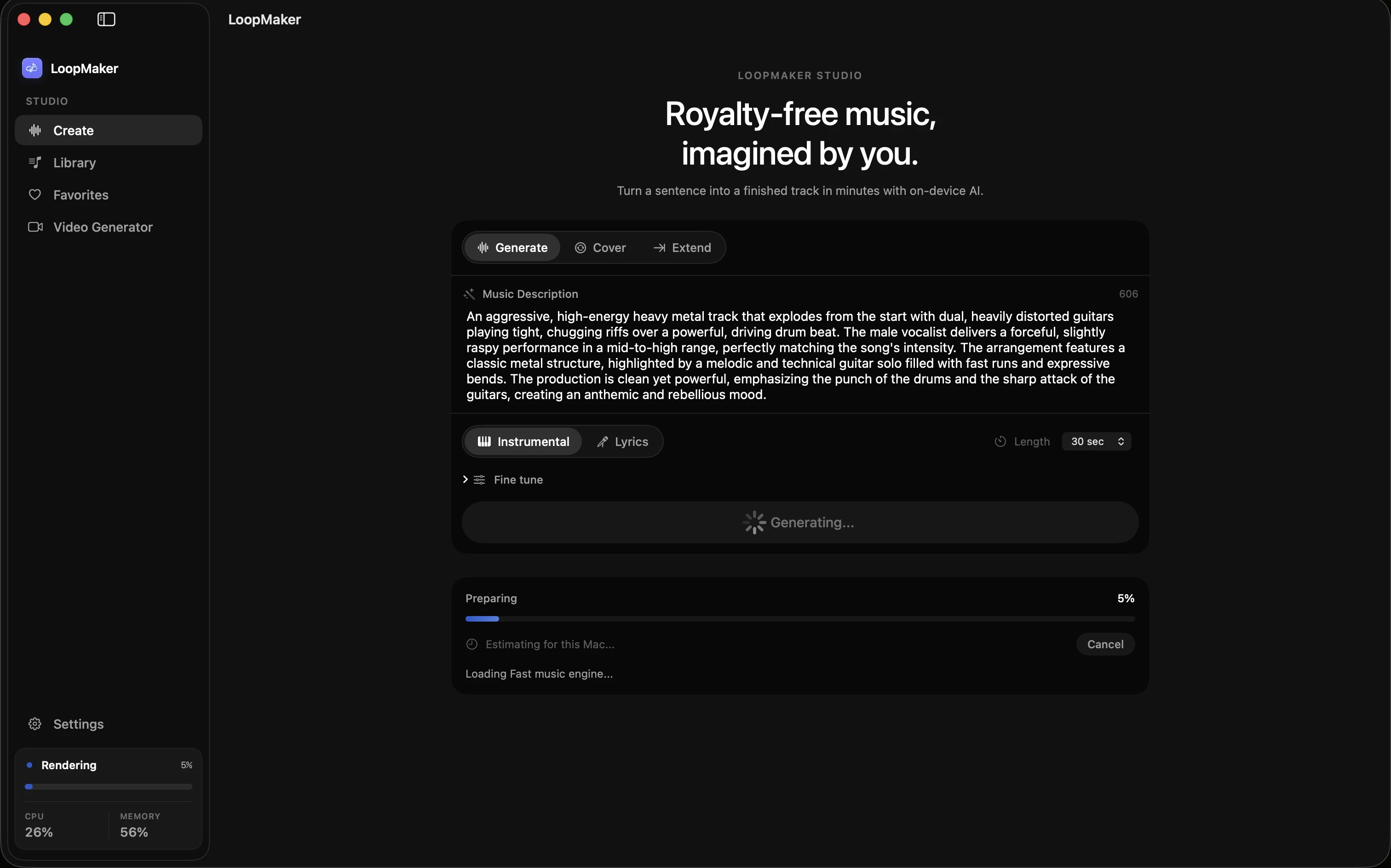
AI jingle makers can create usable intros in minutes, but crafting an effective workflow involves more than simply typing a prompt. The strongest results come from setting clear length targets, naming the brand feeling, and using uncluttered language. LoopMaker, for example, lets you generate and revise instrumental cues locally on a Mac. Focus your brief on one hook and check mono compatibility, especially if you use the jingle on radio or in podcasts.
For most brand intros, 12-20 seconds is long enough to establish a mood, deliver a hook, and end cleanly. Many short cues fail because they try to do too much. Clutter, not a lack of energy, is the main risk. With AI, you can revise or extend a cue without starting over. This workflow uses LoopMaker, a $49 one-time native Mac app, but the principles apply to many local AI tools.
A jingle is a 15-second brief, not a small song
Treat your jingle like a product tagline, not a condensed song. Set a strict length target-usually 15 seconds, but 12 to 20 seconds works for most brand uses. The goal is to create a compact, memorable cue. Avoid trying to fit a verse-chorus structure into a short window. Think about what a listener needs to hear in the first three seconds and how it should resolve at the end.
Clarity beats energy in short cues. Too many elements create a cluttered sound and make your jingle hard to remember. Prioritize a single musical idea or motif. Consider how the jingle will sound on small speakers and in mono. If you need the AI jingle maker to deliver a specific mood, use language that fits your brand and avoids risky or ambiguous terms. Keep your prompt clean and focused.
- 12-20 seconds is standard
- Avoid verse-chorus prompts
- Mono compatibility matters
Name the brand feeling and the one sonic hook
Before you generate with an AI jingle maker, write a one-sentence description of your brand's feeling. Is it confident, playful, or calm? Then, choose one sonic hook for the AI to focus on-a melody, a rhythm, or a sound texture. For example, "confident with a bright whistle melody" or "calm with soft piano and chimes." This helps the AI jingle generator keep the cue memorable and uncluttered.
Use brand-safe, unambiguous language in your prompts. Avoid genre mashups or references that are hard to interpret. If your brand has specific words or values it avoids, keep those out of your instructions. A clear brief saves time and reduces revision cycles. Test your hook idea with people who do not know your brand. If they remember it after one play, your jingle is focused enough.
- One hook per cue
- Use brand-safe terms
- Test recall with fresh listeners
Timing: length, tempo, and your AI jingle maker
Set your target duration between 12 and 20 seconds. Many AI jingle generators let you specify a bar count or second length. Standard tempos for intros fall between 90 and 130 BPM, but adjust to match your brand energy. The jingle should finish cleanly-no fade-outs or sudden stops. LoopMaker's local model lets you set precise timing. Use the waveform view to trim or extend as needed for your medium.
Mono compatibility is critical. Many small speakers and broadcast chains sum your audio to mono, which can cause phase issues or lost hooks. After exporting your jingle from the AI jingle maker, check it in mono. Use metering tools or listen through one speaker. Confirm that your main hook and the brand mood survive the conversion. A jingle that works in mono gets remembered and avoids technical headaches.
- Check mono compatibility
- 12-20 seconds only
- Clean, not abrupt, endings
Revise short music without regenerating everything
With a local AI jingle maker like LoopMaker, you can revise parts of your cue without starting the entire process over. Focus changes on the intro, the hook, or the tail. Use the app's prompt controls to adjust only the section that needs work. This saves time and avoids losing good material. For example, if the ending feels cluttered, regenerate just the last four seconds.
Avoid over-editing. Each change can introduce new elements and increase clutter. After every revision, listen for the main hook and check the overall mood. Keep your project organized by exporting each version. LoopMaker supports both WAV and M4A exports. Always check the product's documentation for any workflow updates. For commercial use, review the terms and model license after every major revision.
- Revise by section
- Export each version
- Review terms after changes
Frequently asked questions
How do I make a jingle with an AI jingle maker?
Write a brief using brand-safe, focused language. Set a target duration, usually 12-20 seconds. Name the brand mood and pick one main hook. Enter these details in the AI jingle maker prompt. Generate your cue, review it, and revise only sections that need work. Use the export function to create a WAV or M4A file. Always check licensing terms for commercial use.
How long should an AI jingle be?
Most brand jingles work best at 12 to 20 seconds. This is enough time to establish a mood, deliver a hook, and end cleanly. Shorter cues often sound rushed; longer ones risk being ignored or cut off in broadcast. Always check platform or station requirements. LoopMaker and similar tools let you set exact durations in seconds or bars for more precise results.
What tempo works for a short brand intro?
Standard tempos for short brand intros range from 90 to 130 BPM. Pick a speed that fits your brand feeling. Slower tempos suit calm or luxury brands; faster ones match energetic or youthful moods. Always listen to the full cue at your target duration. You want the hook to arrive early and resolve before the end. Adjust and re-export if needed.
Can I use an AI jingle commercially?
Commercial use depends on the app's terms and the AI model's license. LoopMaker, as of June 2024, allows commercial exports, but always confirm this on the latest product site and terms. Some models or samples may have restrictions. For any paid or public use, keep a copy of your license and export files. When in doubt, consult a legal advisor or the software vendor directly.
Sources and testing notes
- Google helpful content guidance — Search guidance on first-hand value, authorship, and audience fit.
- LoopMaker BPM tapper — Browser-side tempo check that pairs with prompt and edit work.
- LoopMaker product page — Current pricing, Apple-silicon guidance, and export formats.
- LoopMaker product pages and current guardrails — checked September 21, 2026. This entry describes practical starting points, not guaranteed output or rights.
Try LoopMaker for short AI cues
Test your next jingle workflow with LoopMaker on a Mac. One-time $49 license, no subscriptions. Export to WAV or M4A and revise sections without starting over. Always check the official site for details.